1.About the Platform
Soul Mind Cards is an online platform for working with metaphorical associative cards (MAC). The platform brings practitioners and their clients together in a single space: collaborative sessions with cards in real time, video calls, progress tracking, and convenient tools for managing a practice.
The platform runs in your browser — no software installation required. We recommend up-to-date versions of Chrome, Safari, or Firefox. The interface is mobile-friendly, but for the most comfortable experience we recommend a tablet or laptop.
For effective work, the practitioner only needs to:
- Request access to the platform
- Invite a client by email (or create their account manually)
- Conduct a collaborative session
For effective work, the client only needs to:
- Accept the invitation from the practitioner (or sign in with the provided credentials)
- Participate in a collaborative session
Features for practitioners
- Create and manage card sets (decks)
- Run collaborative sessions with clients in real time
- Video calls directly in the workspace
- Client management (create, invite, block)
- Session notes for each client session
- Portfolio and client progress tracking
- Question library (200+ questions) and session structure builder
- Emotion detector with fine-tuning options
- Calendar with reminders (Email, Telegram, platform)
- Practice analytics (revenue, charts, client retention)
- Chat with clients and other practitioners
- Customizable client sources and request categories
- Brand personalization (logo, card back, table background)
- Data export to CSV
Features for clients
- Join collaborative card sessions in real time
- Video calls with your practitioner directly in the workspace
- Mark emotions before and after each session (emotion detector)
- View your requests and progress
- Chat with your practitioner
- Calendar with session schedule
- Personalization: language, background, avatar
Supported interface languages
- English
- Русский
- Українська
- Беларуская
- Қазақша
- Español
- Português
- Français
- Deutsch
Ready to try it?
The first 30 days are free with full access to the entire platform. No payment, no card required.
2.Getting Started
For practitioners
2.1. Getting access
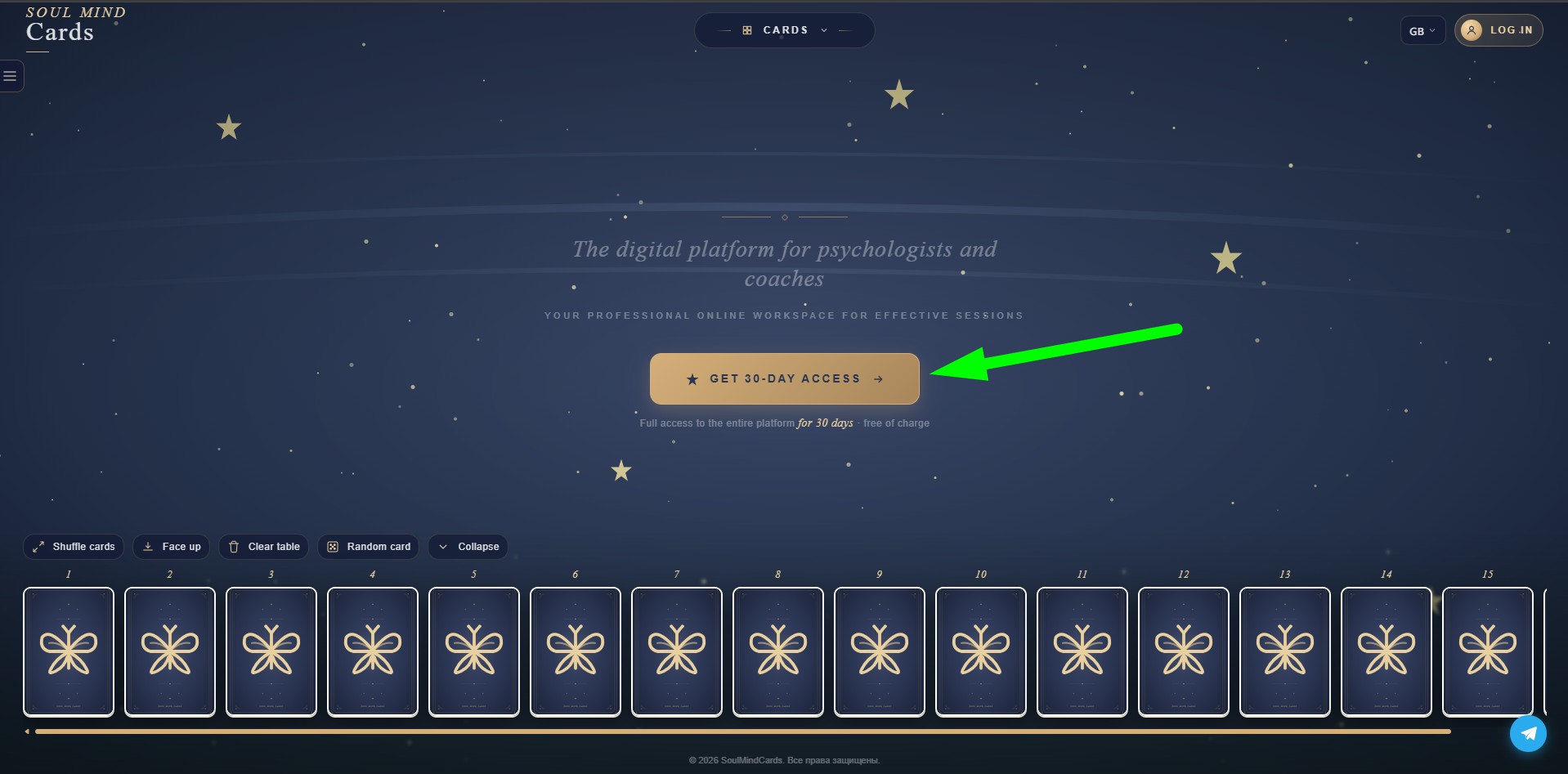
On the main page or in the "About" section, click the "Get 30-day access" button.
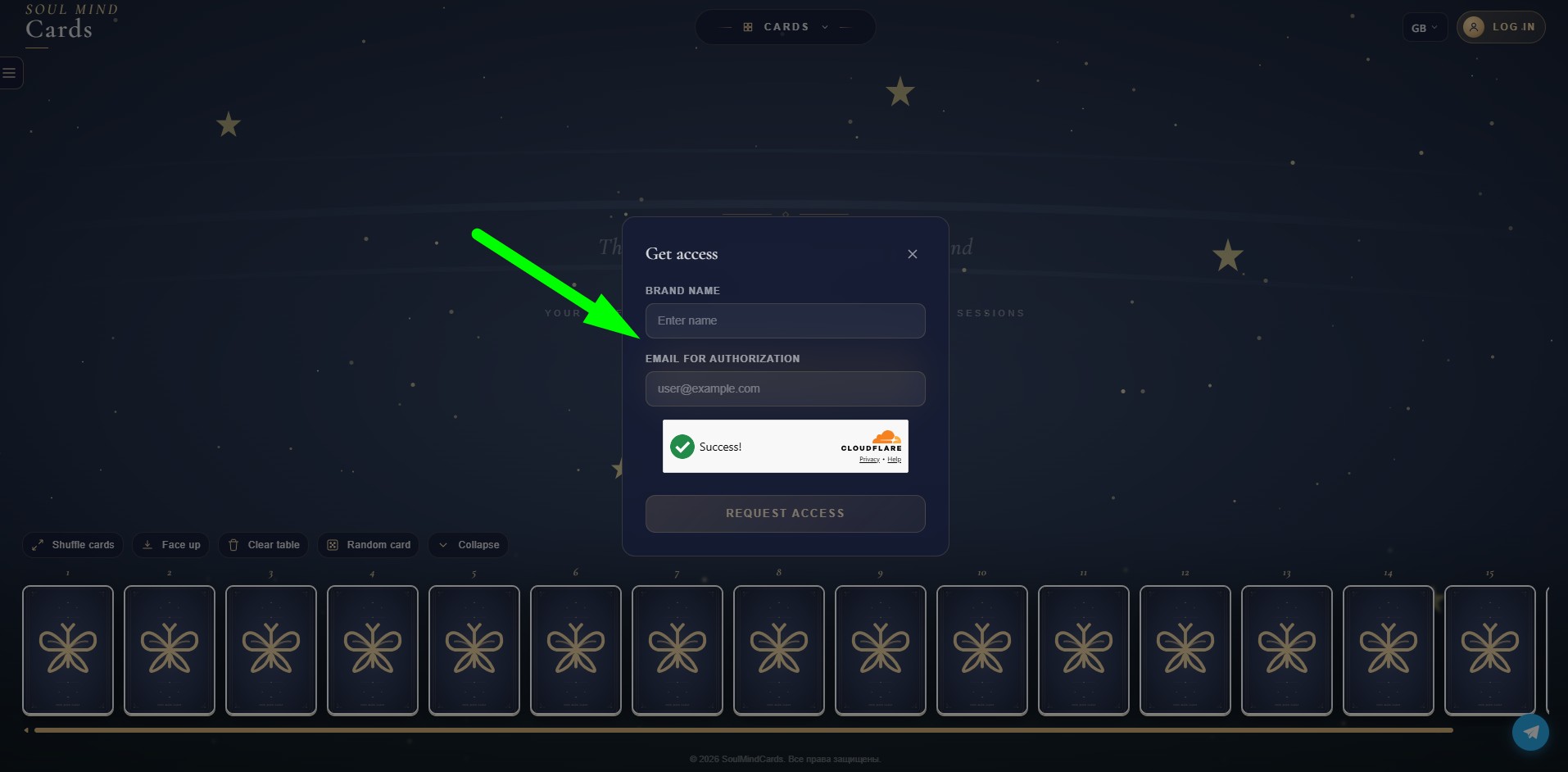
Provide:
- Your name or brand name
- Email for authorization
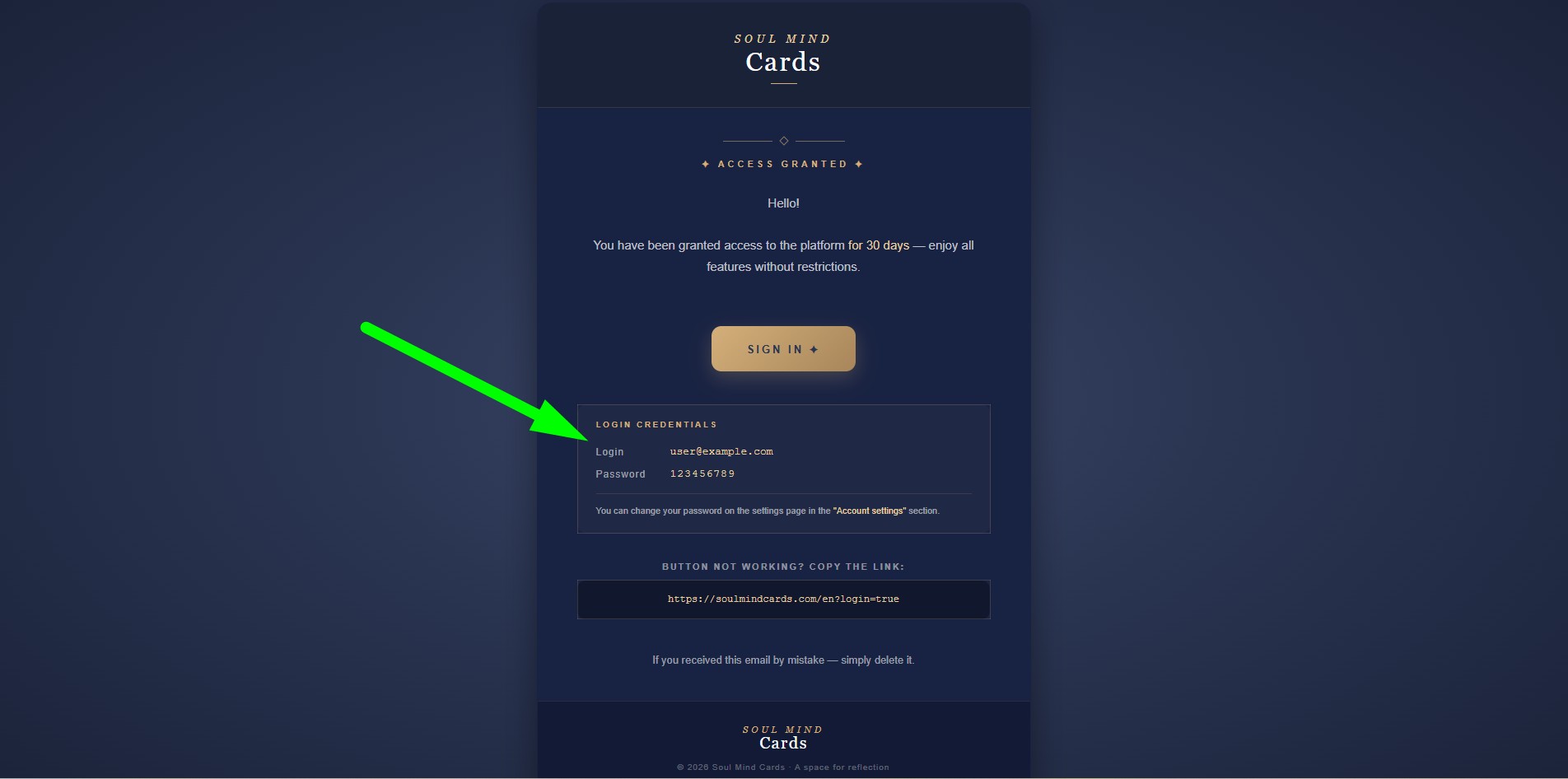
Once your request is processed, an invitation with login details will be sent to the specified email. The first 30 days come with full access at no charge.
2.2. Signing in
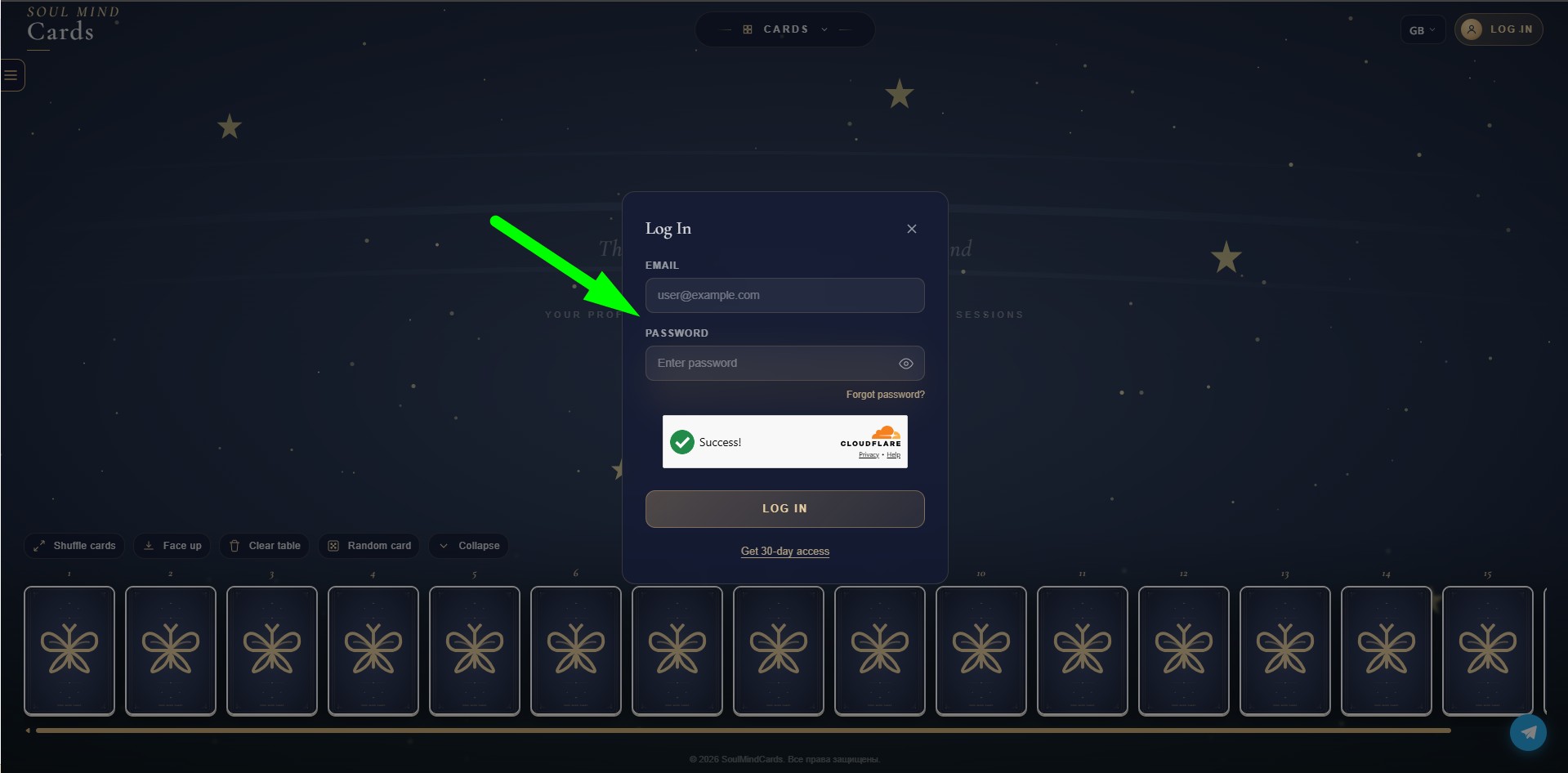
Go to the login page and enter:
- Email — the address you provided during registration
- Password — received in the invitation
2.3. Password recovery
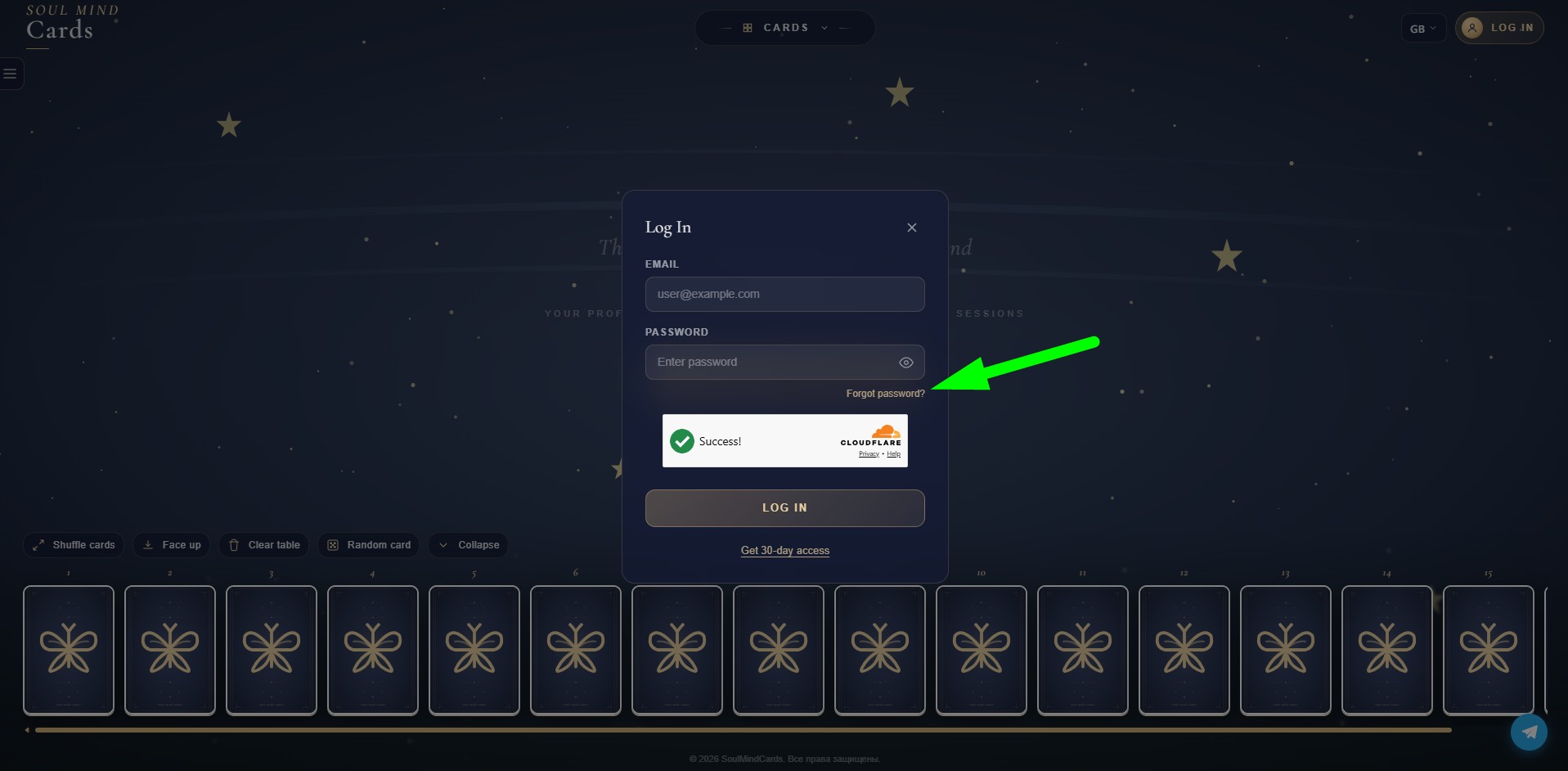
- On the login page, click "Forgot password?"
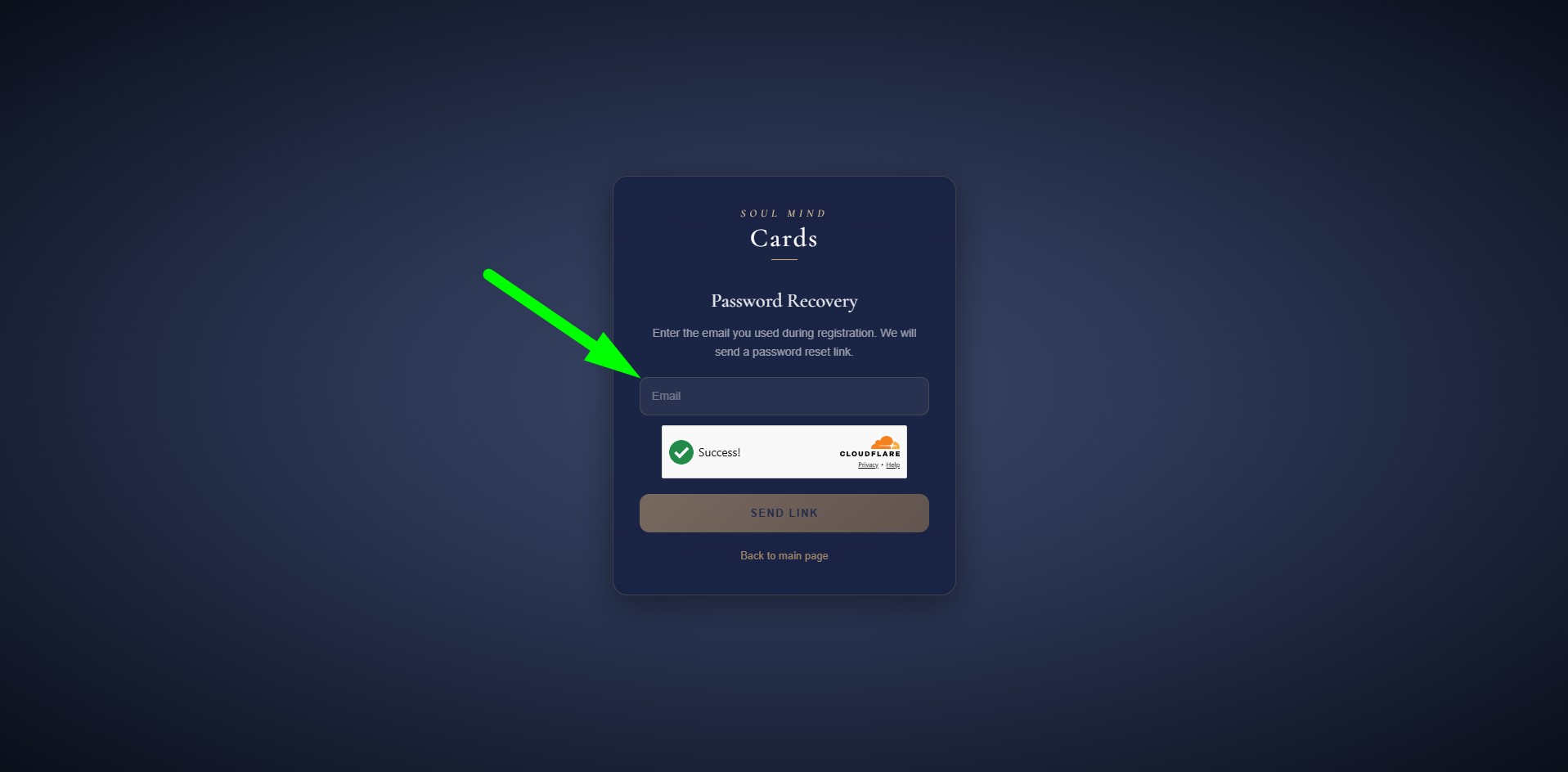
- Enter the email you used during registration
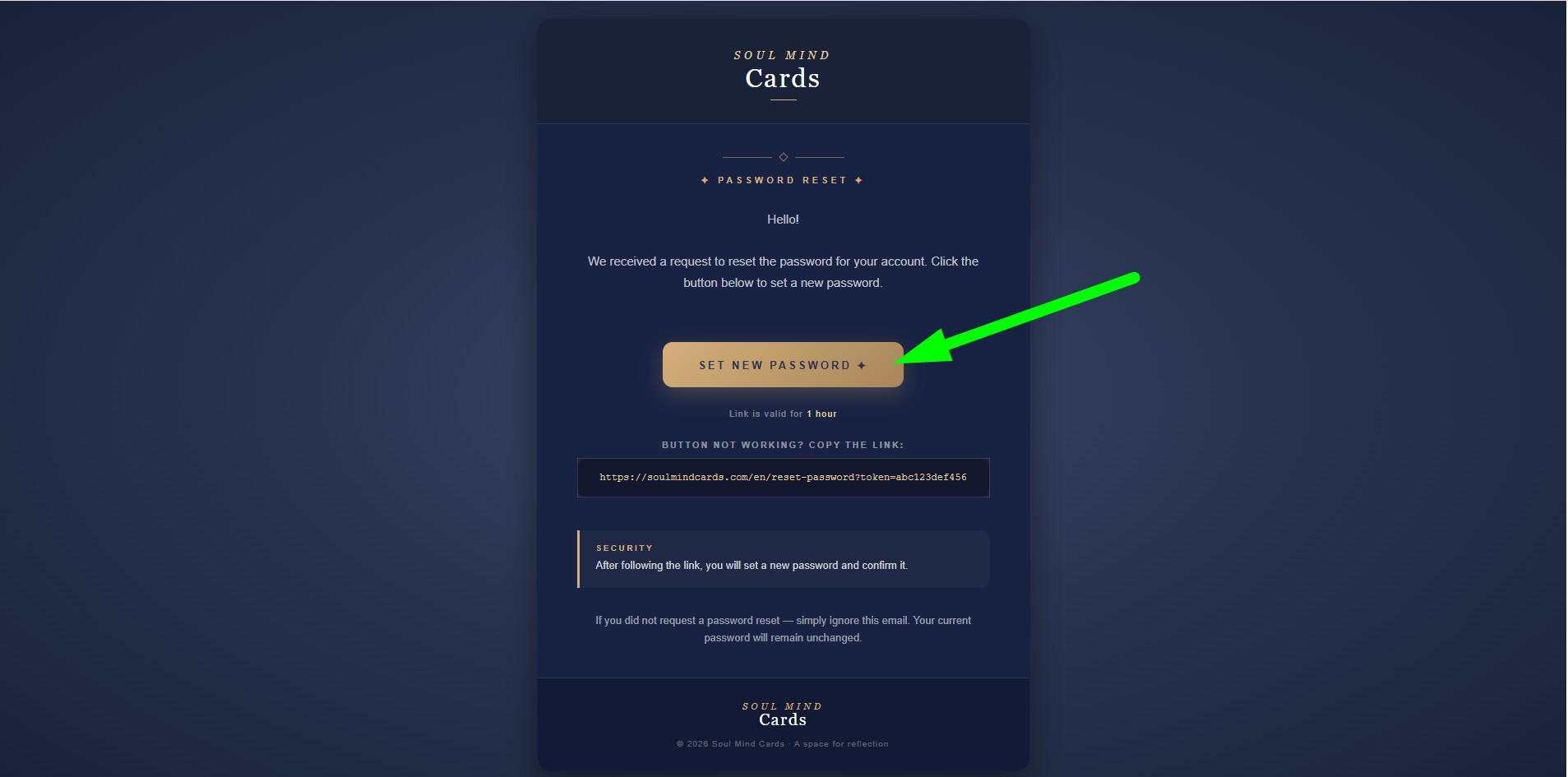
- Check your inbox — you will receive a password reset link
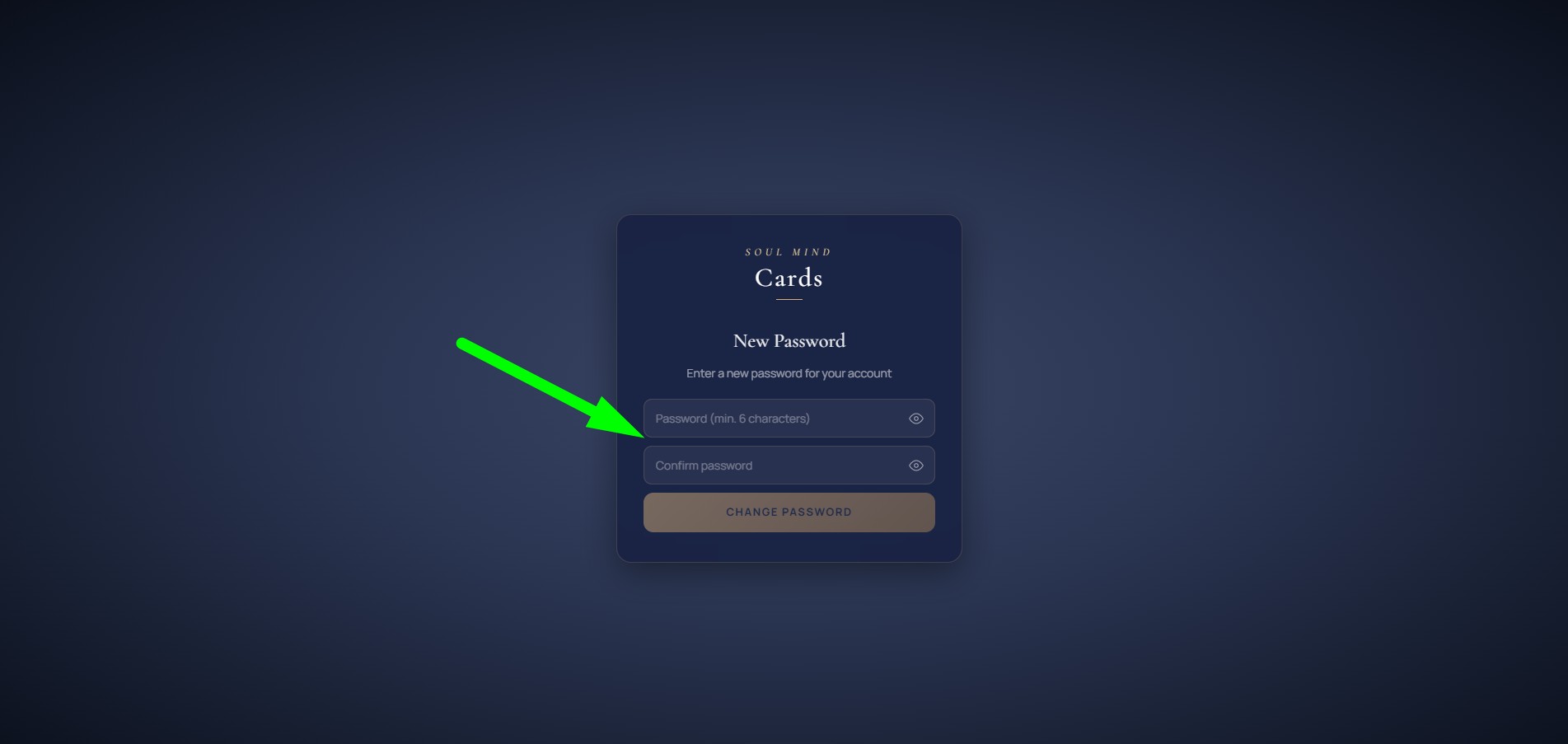
- Follow the link and set a new password (minimum 6 characters)
For clients
2.4. Invitation from your practitioner
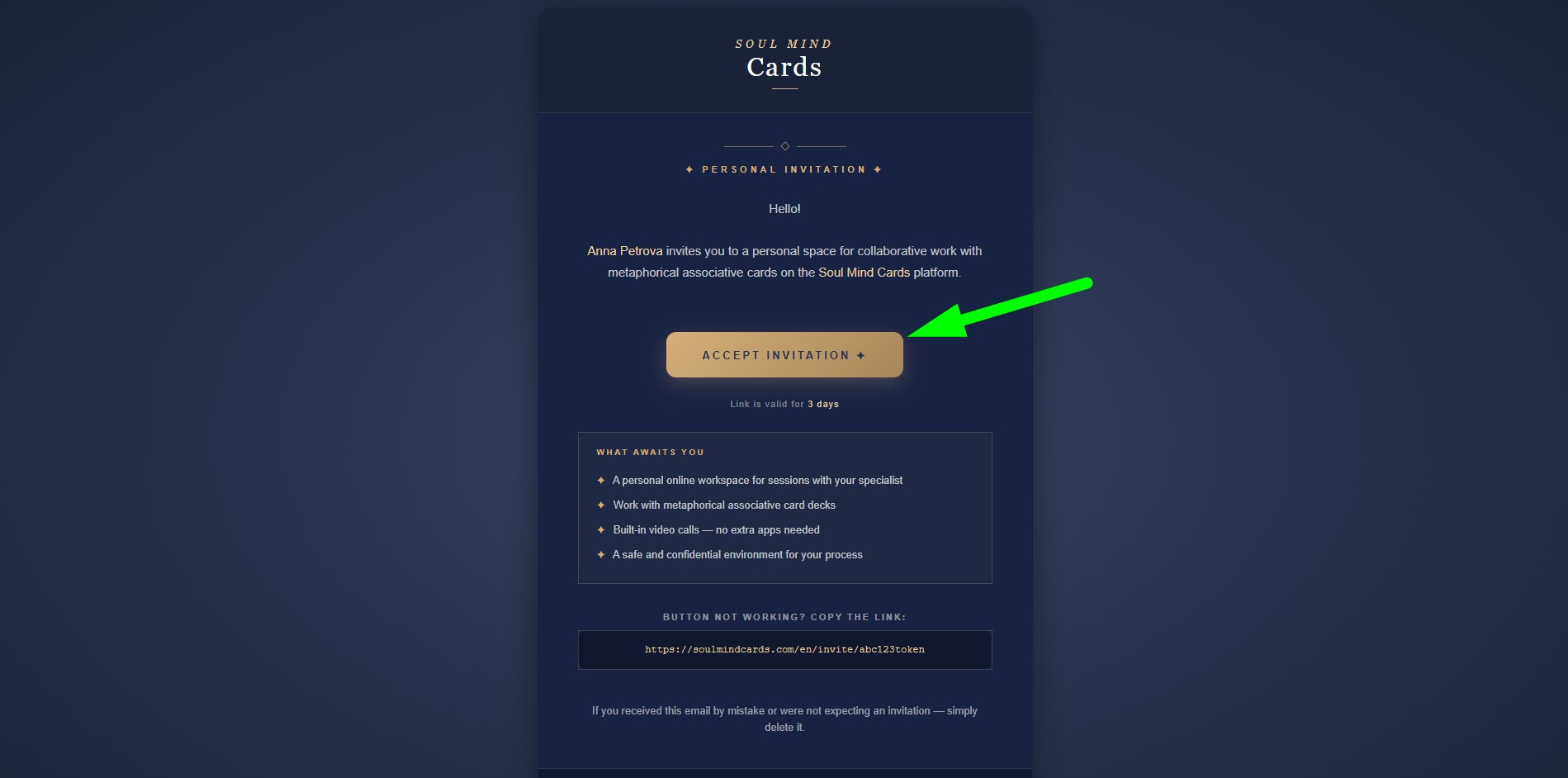
Your practitioner will send you an invitation by email. The message will contain a registration link.
- Follow the link in the email
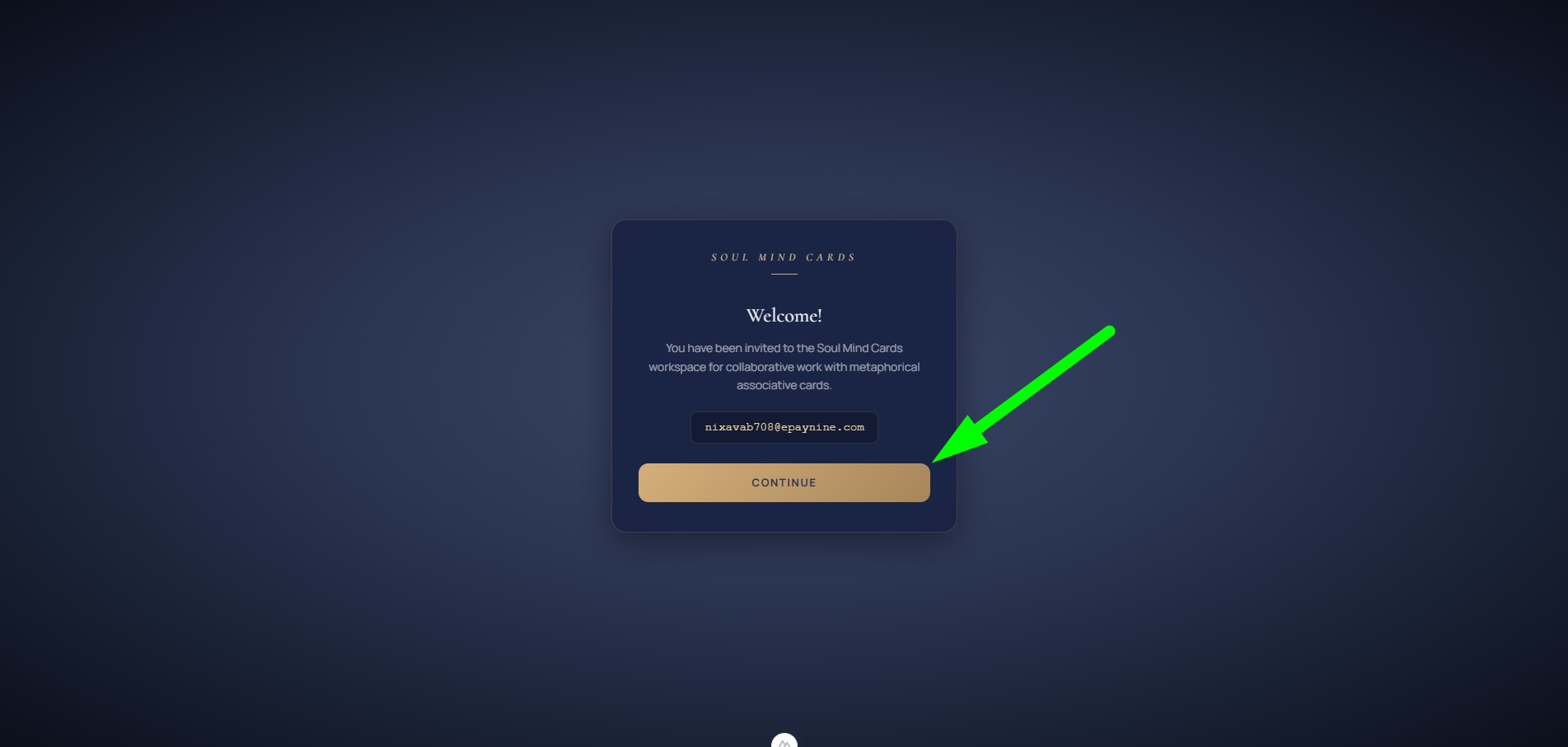
- Click "Continue" in the welcome window
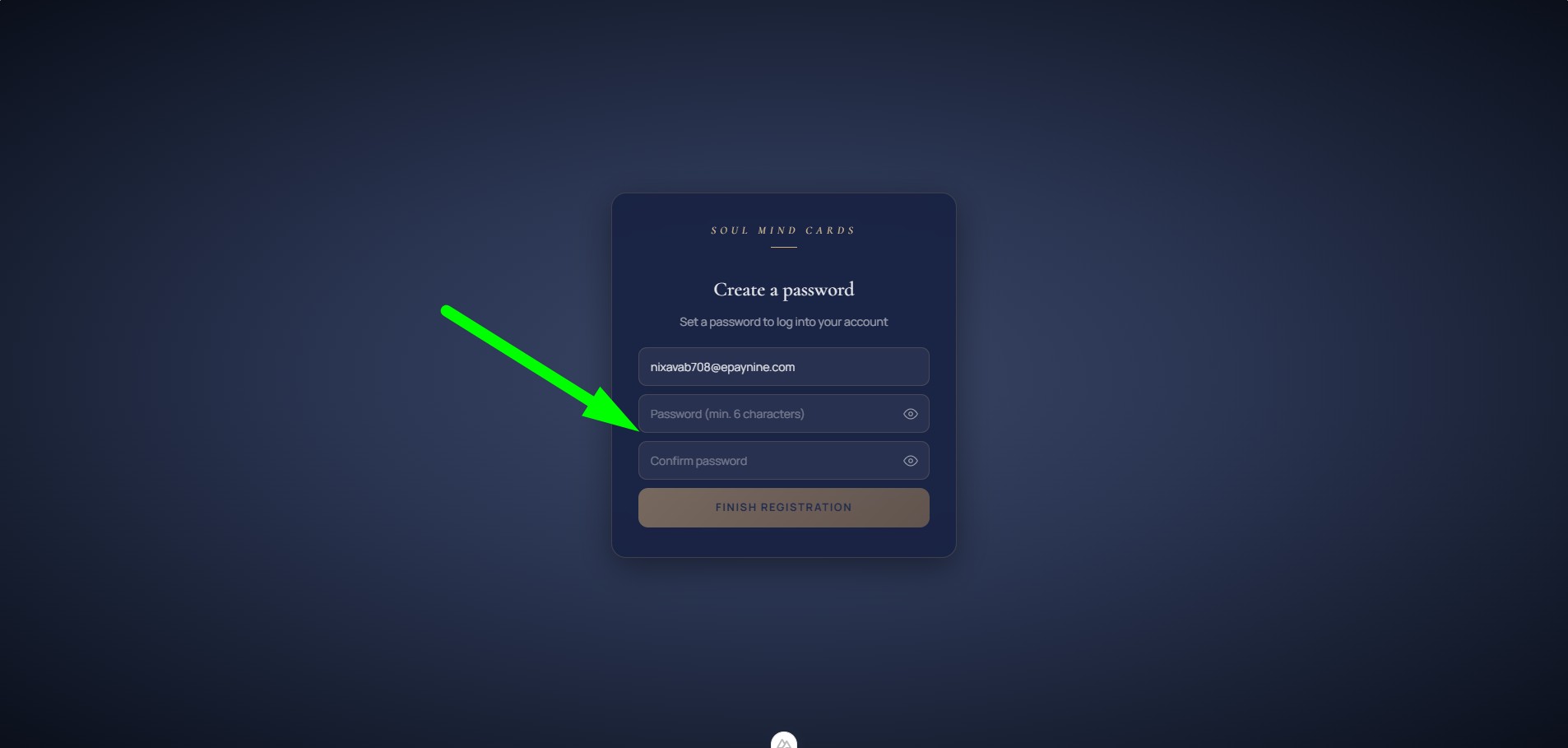
- Enter your name and create a password (minimum 6 characters)
- Click "Start working"
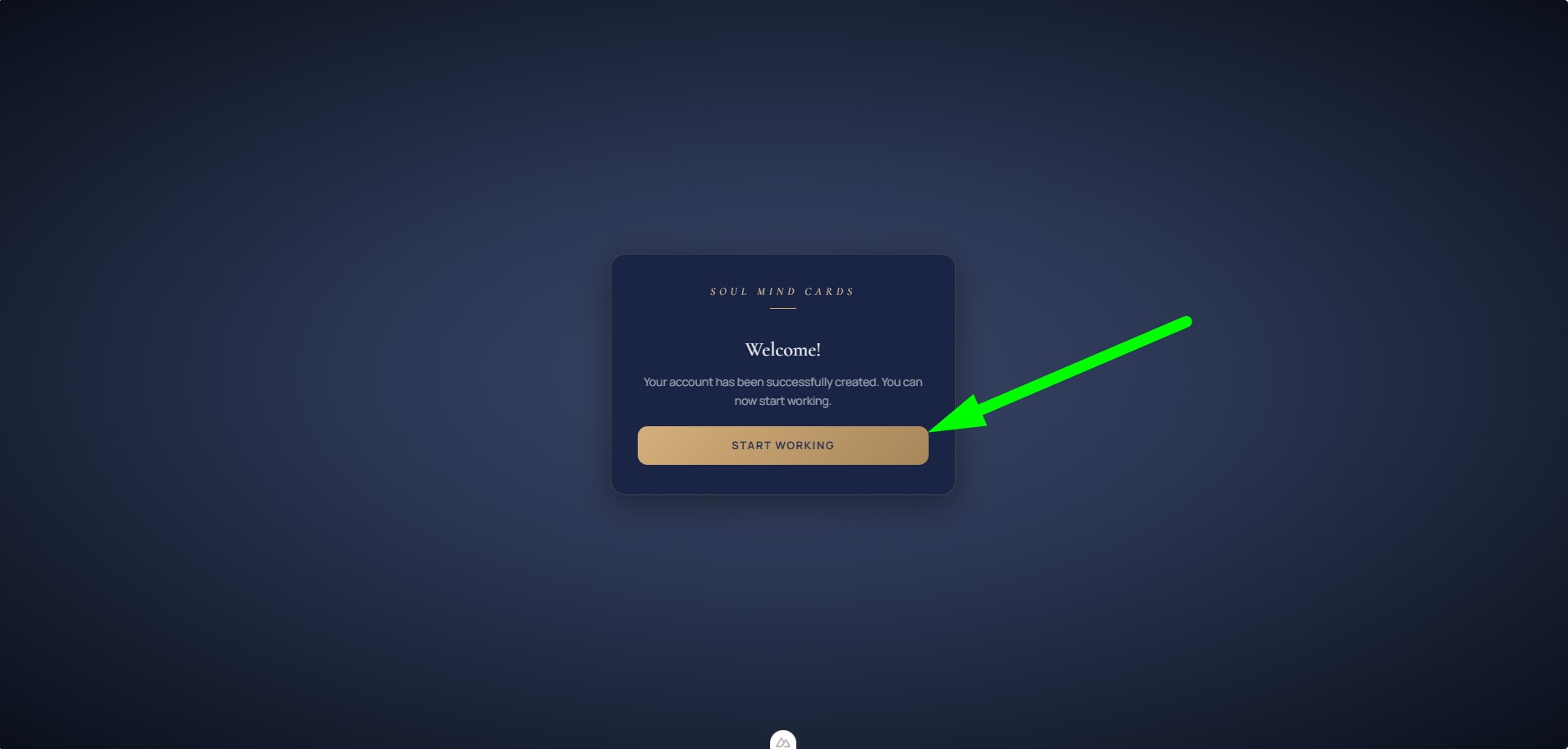
After that you can sign in to the platform.
2.5. Signing in
- Email — the address where you received the invitation
- Password — set during registration
2.6. Password recovery
- On the login page, click "Forgot password?"
- Enter your email
- Check your inbox — you will receive a password reset link
- Follow the link and set a new password (minimum 6 characters)
3.Security and Privacy
Data Protection
- Encryption — sessions are encrypted at the browser level; video calls are not recorded
- Data isolation — each user can only see their own data; other users have no access to anyone else's information
- Role-based access — clients see only their own data, and practitioners see only the data of their own clients
- Backups — the server creates regular backups, so your progress and data are never lost
Confidentiality
- The platform contains no ads or trackers
- Data is never shared with third parties
- You can fully delete your account and all associated data at any time
4.Frequently Asked Questions
Practitioner: your clients, notes, and decks are only accessible to you within your account.
5.Contact Us
Have questions or need help? Get in touch — we are always happy to help.